On this page
Prerequisites
- Docker (recommended for the fastest start), or
- Rust 1.70+ and Git if you plan to build from source
- At least 1 GB of free RAM
Install
Docker (recommended)
Run Redistill with default settings on 127.0.0.1:6379:
docker run -d --name redistill \
  -p 6379:6379 shahidontech/redistill:latest
macOS (Homebrew)
brew tap shaikh-shahid/redistill
brew install redistill
redistill
Linux (direct binary)
wget https://github.com/shaikh-shahid/redistill/releases/download/v1.1.2/redistill-1.1.2-x86_64-unknown-linux-musl.tar.gz
tar -xzf redistill-*.tar.gz
./redistill
Build from source
# Install Rust if needed
curl --proto '=https' --tlsv1.2 -sSf https://sh.rustup.sh | sh

# Clone and build
git clone https://github.com/redistill-io/redistill.git
cd redistill
cargo build --release

# Start the server
./target/release/redistill
Start server
Without authentication
./target/release/redistillWith authentication
Set a password via environment variable or config:
export REDIS_PASSWORD=your_password
./target/release/redistill
By default, the server binds to 127.0.0.1:6379. You can change this in redistill.toml.
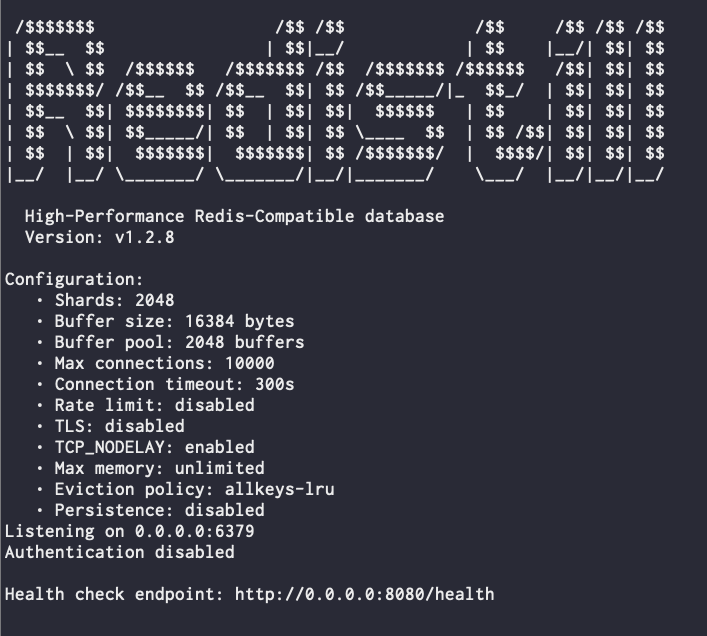
You should see the following output in your terminal:
Test connection
Use redis-cli to send basic commands:
redis-cli

PING
# PONG

SET mykey "Hello Redistill"
# OK

GET mykey
# "Hello Redistill"
You can also exercise hashes:
HSET user:1001 name "John" age "30" city "NYC"
HGET user:1001 name
HGETALL user:1001
With authentication enabled
redis-cli

SET test "value"
# ERR NOAUTH Authentication required

AUTH your_password
SET test "value"
# OK
Health check & basic monitoring
If you have health_check_port configured, you can hit the HTTP health endpoint:
curl http://localhost:8080/health

{
  "status": "ok",
  "uptime_seconds": 120,
  "active_connections": 2,
  "memory_used": 1048576
}
To inspect server statistics via the Redis protocol:
redis-cli INFOConfiguration
Create a simple redistill.toml next to the binary to customize ports, auth, memory and more:
[server]
bind = "127.0.0.1"
port = 6379
health_check_port = 8080

[security]
password = "your-password"

[memory]
max_memory = 2147483648  # 2GB
eviction_policy = "allkeys-lru"

[persistence]
enabled = false                   # Optional: enable for warm restarts
snapshot_path = "redistill.rdb"
snapshot_interval = 300
save_on_shutdown = true
Restart Redistill to apply configuration changes.
Next steps
- Explore the Features page for a full list of supported commands.
- Read the Configuration Reference for every tuning knob.
- Use the Practical Examples to wire Redistill into your application.
- Review the Benchmarks and Performance Tuning Guide for production sizing.